Ransomware Recovery: Why Versioned Backups Matter
Ransomware recovery depends on having clean versions from before encryption, a restore process that works, and storage controls that limit damage.
Ransomware Recovery: Why Versioned Backups Matter
Ransomware is a recovery problem as much as it is a security problem.
Prevention matters. Strong passwords, software updates, endpoint protection, careful permissions, and user training can reduce risk. But no practical security plan should assume prevention will always work. If files are encrypted, deleted, or damaged, the question becomes simple: can you restore clean copies?
That answer depends on backup quality.
Sync Can Spread Encrypted Files
Ransomware often changes many files quickly. It may encrypt documents, rename files, add ransom notes, and leave the original content unreadable. If the affected files are inside a synced folder, the encrypted files may sync to the cloud and to other devices.
This is not because sync is broken. Sync tools are designed to mirror changes. When ransomware changes files, those changes can look like normal file updates.
Some sync services offer version history or ransomware recovery features. Those features can help. They may also depend on plan limits, retention windows, provider-specific recovery flows, and whether all affected files were inside the synced area.
For files you cannot afford to lose, you should have a backup strategy that is designed around clean historical versions.
Recovery Needs A Clean Point In Time
The key phrase is clean version.
After a ransomware incident, the latest copy of a file may be useless. You need the version from before encryption. For a folder, you may need a consistent set of file versions from the same point in time.
That is why versioned backup matters. A backup system should preserve file history, not only the newest state. If every backup run overwrites the previous backup, it can preserve the encrypted version and lose the clean one.
CloudLess is designed around versioned encrypted backup. The app tracks backed-up files and versions so restore is based on recoverable history, not only current state.
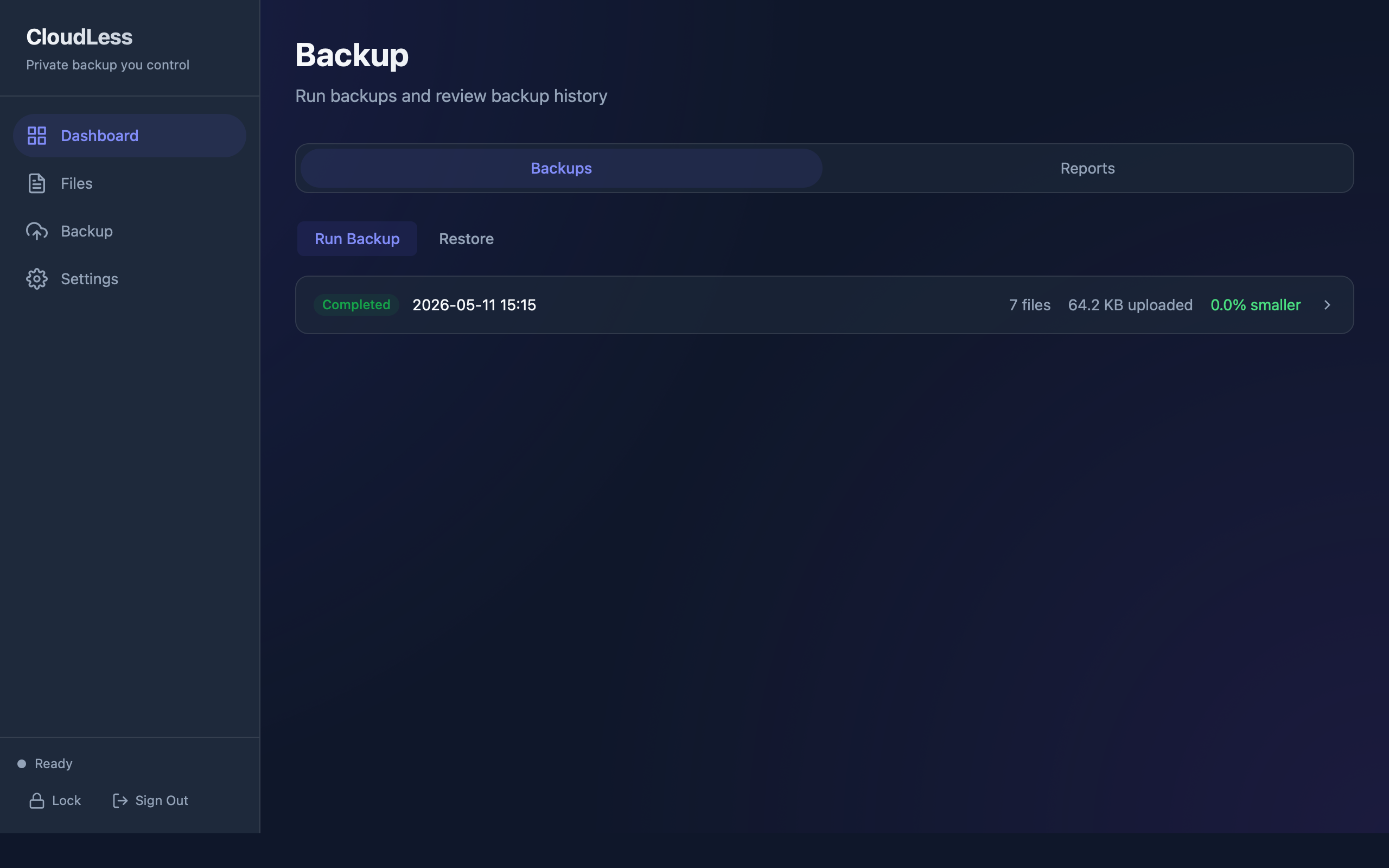
Backup reports help confirm that backup jobs ran, files were processed, and restore history exists. During a real recovery, this kind of visibility matters.
Backups Should Be Harder To Damage Than Working Files
Ransomware recovery is not only about having backup files. It is about whether those backups survive the incident.
If the same user account can edit working files and permanently delete all backups, the backup is exposed. If storage credentials are saved in a place malware can read, the storage account may be exposed. If backup retention is too short, clean versions may disappear before the incident is discovered.
CloudLess helps by encrypting backup data before it reaches storage the user controls. The user can then combine CloudLess with storage-side controls, such as limited permissions, separate credentials, lifecycle rules, retention settings, or object lock where supported.
No backup app can guarantee recovery from every incident. Storage policy and credential hygiene matter. The goal is to make clean backups more durable than the working files.
Restore Must Be Tested Before An Incident
A backup strategy is incomplete until restore has been tested.
The test does not need to be complicated. Choose a small file, back it up, restore it to a safe location, and open it. Confirm that the file contents are correct. Confirm that you know which password, recovery key, device, and storage credentials are needed.
This test catches practical issues early:
- The wrong folder was backed up.
- Storage credentials were misconfigured.
- The restore destination was misunderstood.
- The encryption password was not stored safely.
- Retention settings did not match expectations.
During a ransomware incident, you do not want to learn the restore process for the first time.
What Good Ransomware Recovery Requires
Useful recovery usually needs four things.
First, you need versions from before the incident. If the only available version is already encrypted, backup cannot help.
Second, you need the ability to identify what to restore. That may be a single file, a folder, or a set of files from a known date.
Third, you need the encryption material required to decrypt backup data. In a client-side encrypted system, losing the password or recovery material can make backups unrecoverable.
Fourth, you need storage that still contains the backup objects. If an attacker deletes backup data and storage has no retention or protection, encryption does not solve that.
CloudLess addresses the backup and restore workflow. It should be paired with careful storage setup and credential control.
Why File Versions Beat A Single Latest Copy
Imagine a folder with project files. On Monday, the files are clean. On Tuesday, ransomware encrypts them. On Wednesday, the backup runs again.
If the backup keeps only the latest copy, Wednesday's backup may contain the encrypted files. The clean Monday state may be gone.
If the backup keeps versions, Monday's clean state can still exist. Recovery means selecting the clean version, restoring it, and checking the result.
This is also useful outside ransomware. Versioned backups help with accidental deletion, bad edits, broken exports, corrupted project files, and mistakes that are noticed late.
CloudLess In A Recovery Plan
CloudLess should be treated as one part of a recovery plan:
- Use CloudLess for encrypted versioned backup.
- Store backup data in storage you control.
- Protect storage credentials.
- Keep recovery material somewhere safe.
- Test restore periodically.
- Keep security basics in place on devices and accounts.
The product is not a replacement for security hygiene. It is the recovery layer for files that matter.
After A Suspected Incident
If you suspect ransomware, avoid rushing into restore on the same infected device. Disconnect from networks if appropriate, preserve evidence if needed, and follow your incident response process. For personal use, that may mean reinstalling the operating system or using a clean device before restoring files. For business use, involve the right technical or security help.
Then restore from a clean version and validate the files.
This is where a tested backup workflow pays off. You should already know where the backup lives, what credentials are needed, and how restore works.
Set up encrypted backup before you need recovery. Download CloudLess and run a restore test with a non-critical file.