How to think about Google Drive as backup storage without giving it plaintext files
Google Drive can be useful backup storage, but it should not receive readable copies of sensitive files. The privacy boundary depends on whether encryption happens before upload, who holds the keys, and whether restore has actually been tested.
Google Drive is good storage.
It is easy to get, easy to pay for, and already part of many people's file habits. That is exactly why people eventually ask a harder question:
Can I use Google Drive for backups without giving Google, or my backup app, readable copies of my files?
The answer depends less on Google Drive itself and more on what happens before the backup data reaches Drive.
If readable files are uploaded first and encrypted later by the storage provider, then the storage provider has been part of the trust boundary. That might be fine for some files. It might not be fine for tax records, client work, source code, exported password vaults, personal archives, or documents you would not want sitting around in plaintext.
For private backup, the important question is simple:
Who can decrypt the backup?
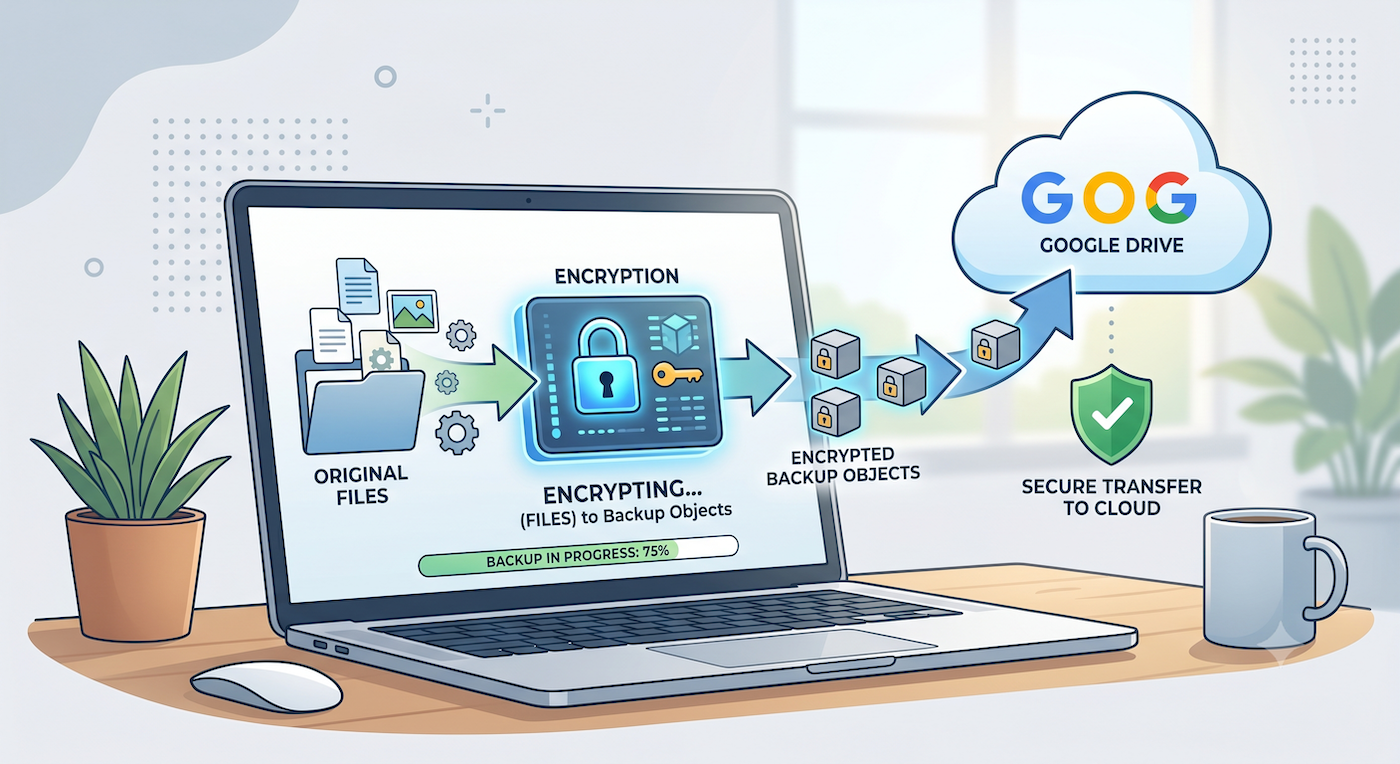
Google Drive is storage, not a backup plan by itself
Google Drive can store files. It can sync files. It can keep some history depending on the file, account, plan, and product behavior.
That does not automatically make it a complete backup plan.
A backup plan has to answer different questions:
- Can I restore an older version after a bad save?
- Can I recover after accidental deletion?
- Can I recover after ransomware or bulk corruption?
- Can I restore to a new device?
- Can I still restore if the backup app account is working but the storage provider only has encrypted objects?
- Have I actually tested restore?
Drive can be a useful place to keep backup data. But the backup system still needs to handle versions, restore records, encryption, metadata, and integrity checks. Otherwise Drive is just a folder where files happen to live.
That distinction matters.
If the backup app treats Drive as the source of truth, it may start trusting whatever it sees in the storage account. A safer backup design treats storage as storage. The backup records live separately. Restore uses those records to know what should exist, then verifies the data when it is recovered.
That sounds boring, but boring is good here. Backup software should be boring in exactly this way.
Server-side encryption is not the same privacy model
Most serious cloud providers encrypt data at rest. That is useful. It protects against some classes of storage-layer exposure.
But server-side encryption and client-side encryption answer different questions.
Server-side encryption usually means the provider receives data, then stores it encrypted inside their system. The provider controls the storage service and the encryption workflow.
Client-side encryption means your device encrypts data before upload. The storage provider receives encrypted backup objects, not readable files.
For private backup, that difference is the whole point.
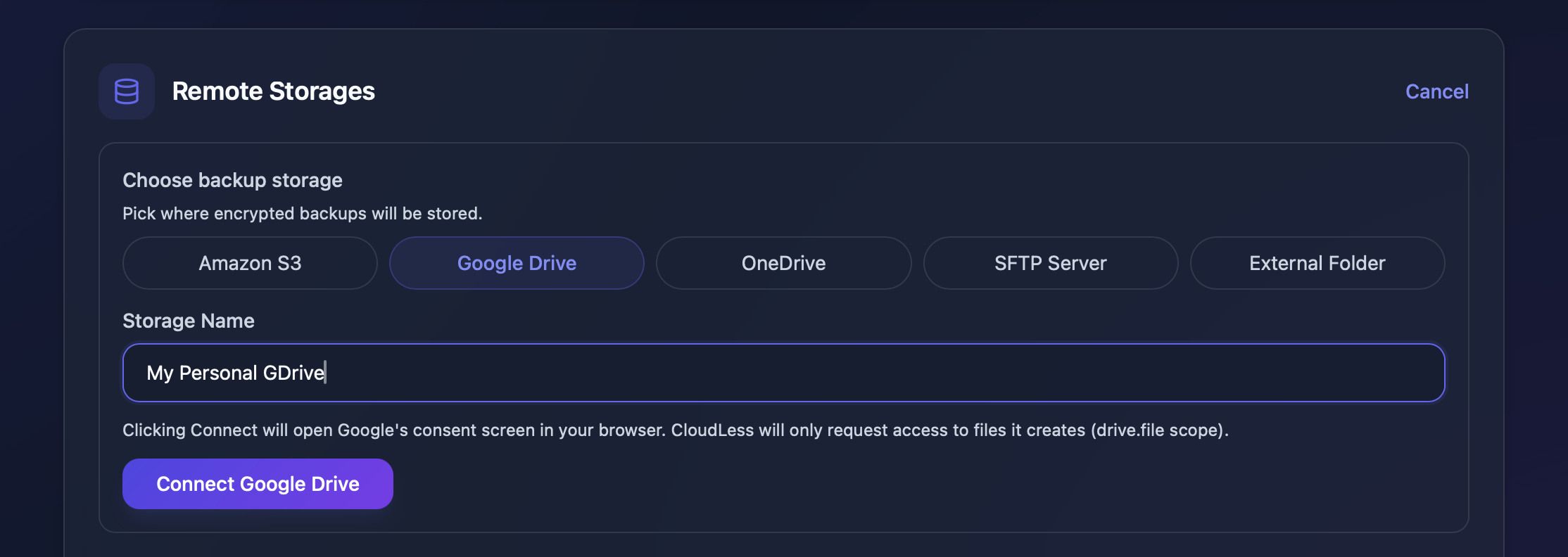
If the backup is encrypted before it leaves your device, Google Drive can be used as a storage target without needing plaintext access to the files being backed up. The same idea applies to other storage targets too. S3, OneDrive, SFTP, or a local external disk are still just places to put backup objects. The privacy model depends on what the backup app sends there.
What Google Drive may still know
Client-side encryption does not make storage activity invisible.
Google Drive may still see normal storage facts. It can know that files or objects exist in the account. It may see sizes, timing, account information, access activity, API usage, folder structure created by the app, and other operational details.
That is metadata. Metadata can matter.
What client-side encryption changes is the content boundary. Drive should not receive readable file contents or readable file names from the backup app if the app encrypts those before upload.
This is the practical way to think about it:
Encryption protects the backed-up data. It does not erase the fact that backup activity happened.
That is still a useful boundary for many people. It means your storage provider can store the backup without being able to casually inspect the documents, photos, archives, or source files inside it.
What the backup app should do before upload
For a Google Drive backup to be private in the way most people mean it, the backup app should do the sensitive work before upload.
At minimum, I would look for these properties:
- File contents are encrypted before they leave the device.
- File names and paths are not sent as readable storage object names.
- Backup versions are tracked outside the storage listing.
- Restore does not guess from whatever happens to be in Drive.
- Missing or corrupted backup data is surfaced loudly.
- The app explains what metadata still exists.
- The app gives you a restore path you can actually test.
That last point is easy to underweight.
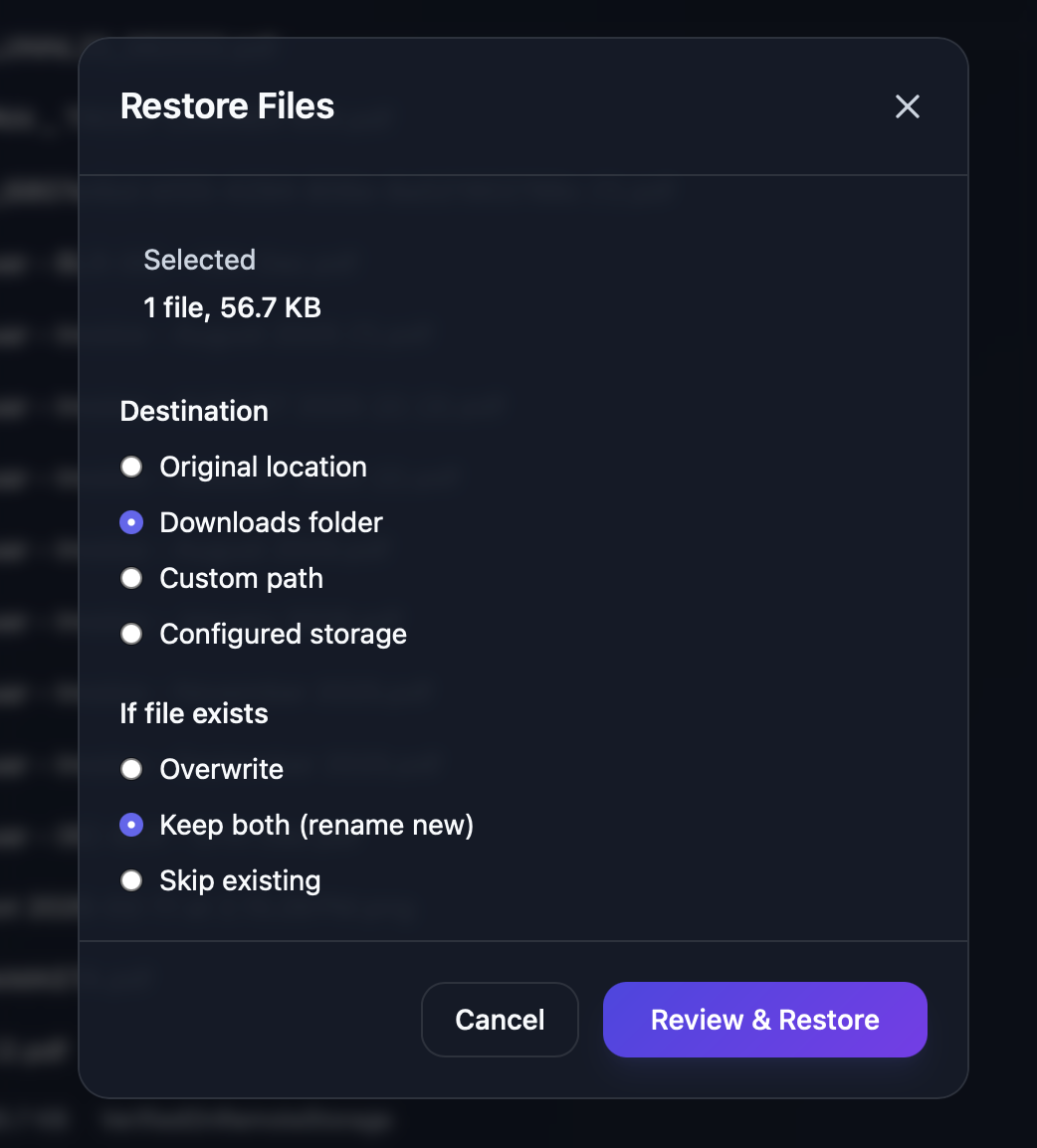
A backup that cannot be restored is just a feeling. The first restore test should happen when nothing is urgent. Pick a small folder, back it up, restore one file, open it, and make sure the workflow makes sense.
Do not wait until the laptop is gone or the folder is corrupted.
The key tradeoff: key responsibility
Client-side encryption improves privacy, but it moves responsibility closer to the user.
If only your device can decrypt the backup, then losing the required passphrase or recovery material can mean losing the backup too. Support should not be able to magically decrypt old backups if the product is designed so the service never had the key.
That can feel harsh, but it is the honest tradeoff.
If a company can recover your encrypted backup without your secret, then some recovery path exists outside your control. Maybe that is acceptable for some products. For private backup, it is a serious design choice.
So the practical plan is not just "encrypt everything."
It is:
- keep recovery material somewhere safe
- keep access to the storage account
- keep access to the backup account
- test restore before you rely on it
An encrypted backup nobody can unlock is not a backup in practice.
Where CloudLess fits
CloudLess is built around the idea that storage should stay dumb.
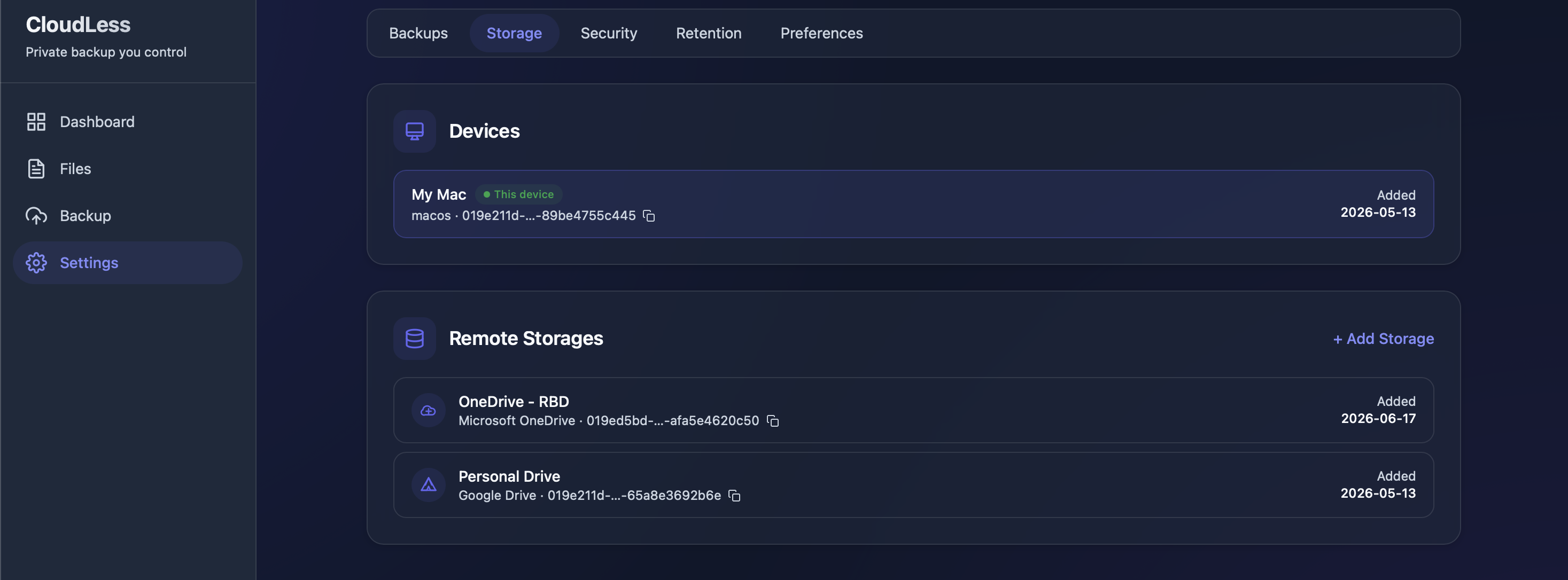
That means Google Drive can be a storage target, but it should not become the authority on what your backup means. The backup app should know which files, versions, and chunks are expected. Storage should hold encrypted backup objects.
In CloudLess, files are encrypted on the device before upload. The server should not receive plaintext file contents or plaintext paths. Google Drive receives encrypted backup data created by the app, and CloudLess requests access only to files it creates through Google's drive.file scope.
That does not make Drive invisible. It does not remove all metadata. It does not mean restore is guaranteed if the storage account is deleted, access is revoked, or required recovery material is lost.
The point is narrower and more useful:
Google Drive can store the backup without needing readable copies of the files inside it.
CloudLess is not trying to replace Google Drive as a sync folder. Keep using Drive for the things Drive is good at. Use backup for recovery from deletion, corruption, overwritten files, ransomware damage, or device loss.
Those are different jobs.
A simple test before you trust the setup
If you are already using Google Drive for important files, run one small restore test this week.
Pick a non-critical folder. Back it up. Restore one file somewhere else. Open it. Then restore an older version if your backup tool supports versions.
The test should answer three questions:
- Can I find the file I need?
- Can I restore it without guessing?
- Does the restored file open correctly?
If the answer is unclear, the setup needs work.
That is not a failure. It is exactly why you test before something breaks.
CloudLess is currently opening beta access carefully instead of offering public downloads. If you want to try encrypted backup to your own storage, join the beta interest list. Beta testers who complete a backup, restore a non-critical file, and share feedback will get 3 months of Pro subscription.