Why Bring Your Own Storage for Backup?
Bring your own storage means the backup app handles encryption and workflow, while your bucket or storage account remains the durable storage layer.
Why Bring Your Own Storage for Backup?
Most backup services bundle the app and storage together. You install the app, pay the provider, and the provider stores the backup data in its own infrastructure.
That model is simple. It can also create lock-in. The same company controls the backup software, storage location, pricing, retention behavior, and account relationship.
CloudLess takes a different approach. The app is the backup, encryption, and restore layer. The storage is yours.
That is the idea behind bring your own storage.
What Bring Your Own Storage Means
Bring your own storage means you connect CloudLess to a storage target you control, such as an S3-compatible bucket, Google Drive, OneDrive, SFTP server, or another supported destination. CloudLess encrypts backup data before it leaves your device, then writes encrypted backup objects to that storage.
The storage account remains yours. You choose the provider, region, cost profile, access policy, and lifecycle settings. CloudLess should not need to become the only custodian of your data.
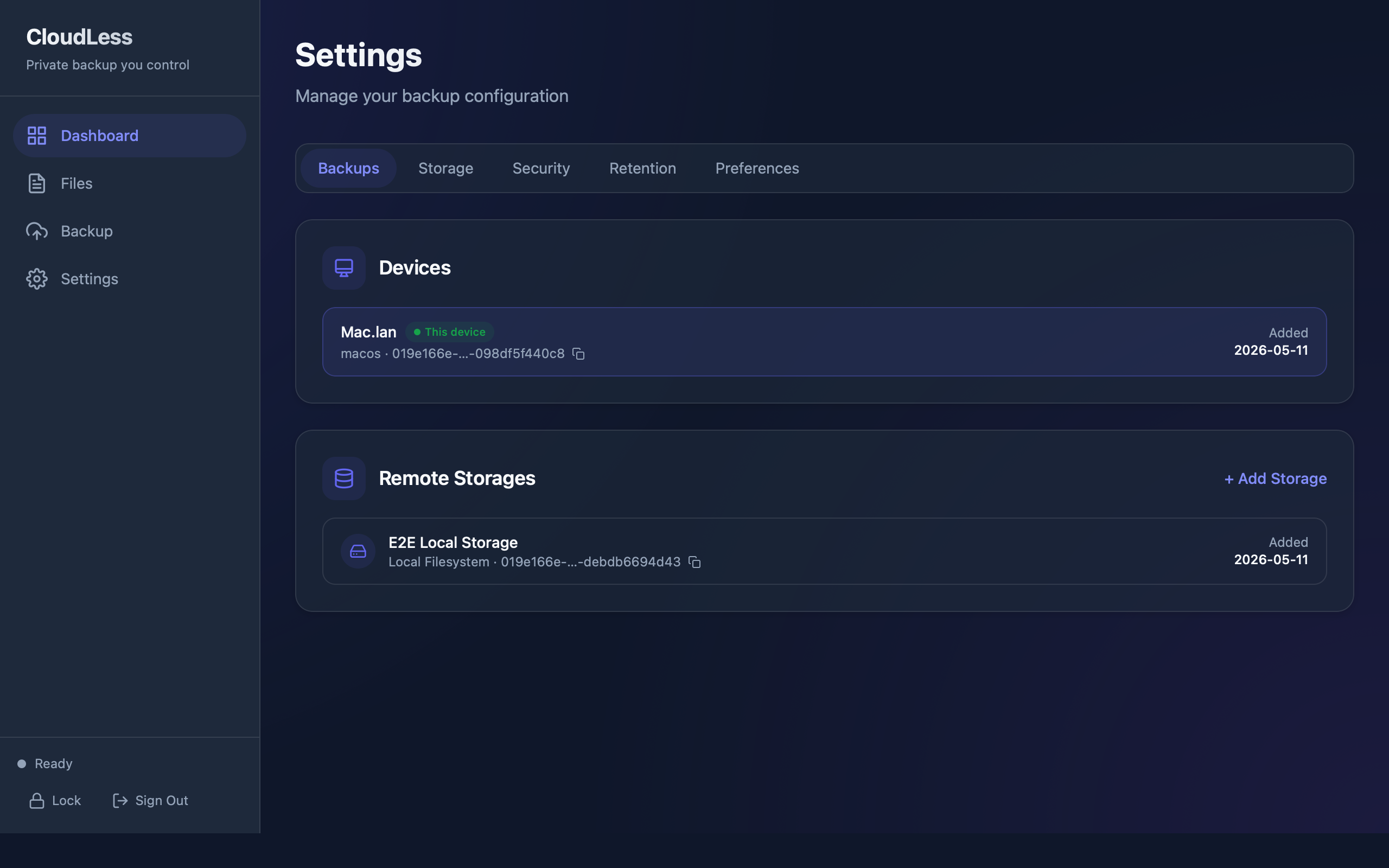
This model separates responsibilities. CloudLess handles backup behavior. Your storage provider handles durable storage.
Why Storage Ownership Matters
Backups are long-lived. They may outlast laptops, operating systems, subscriptions, and storage trends. When a backup provider owns the storage relationship, moving away can be difficult.
With user-controlled storage, the durable data layer is not tied as tightly to the backup app account. That gives the user more control over where data sits and how it is governed.
Storage ownership can matter for several reasons:
- Region selection.
- Cost control.
- Access policies.
- Retention rules.
- Audit logs.
- Object lock or immutability features where supported.
- Separation between application account and storage account.
For careful users, those details are not abstract. They affect privacy, recovery, and long-term trust.
Cost Can Be More Transparent
Bundled backup services usually hide storage cost inside plan pricing. That is convenient, but it can be hard to understand what you are paying for. Plans may limit devices, storage size, retention, restore speed, or advanced features.
With bring your own storage, storage cost is closer to the underlying provider's pricing. You can pick a provider and class that match your needs. A user with small personal backups may choose a low-cost setup. A user with compliance needs may choose a provider and region that fit policy requirements.
This does not mean BYO storage is always cheaper. Object storage has its own pricing model. Storage, requests, retrieval, egress, lifecycle transitions, and minimum retention can all affect cost. The benefit is control and visibility, not a promise that every setup is cheaper.
Privacy Is Clearer When Data Is Encrypted First
Bring your own storage is strongest when paired with client-side encryption. If a backup app sends readable files to a user-owned bucket, the storage account still contains readable files. That reduces privacy.
CloudLess encrypts backup data before upload. The bucket stores encrypted backup objects. The storage provider should not need to read file contents, and CloudLess should not need to own readable copies.
This is why CloudLess is positioned as encrypted backup to storage you control, not just file copying to a bucket.
There Are Tradeoffs
Bring your own storage is not the right model for everyone.
The user must create or connect storage. Depending on the provider, that may involve a bucket, OAuth account, SFTP host, access keys, region selection, permissions, and provider billing. If storage credentials are removed or misconfigured, backups can fail. If the bucket is deleted, the backup data may be lost. If lifecycle rules are too aggressive, older versions may disappear earlier than expected.
A bundled backup service can hide those details. BYO storage exposes them.
CloudLess should make setup as clear as possible, but it should not pretend the tradeoff does not exist. Users who want the simplest possible backup may prefer a fully managed provider. Users who want control, privacy, and storage ownership may prefer the CloudLess model.
Access Policy Matters
Storage credentials should be treated as sensitive. Ideally, backup credentials should have only the permissions needed for backup and restore. They should not grant broad account access.
For object storage, that often means limiting access to one bucket or prefix. For OAuth-based or SFTP storage, it means using the narrowest account permissions and credentials that still allow backup and restore. Some setups can use separate credentials for backup operations and administrative operations. Where supported, object lock, retention rules, or versioning can reduce the risk of accidental or malicious deletion.
CloudLess can provide the backup workflow. The storage account still needs sensible security settings.
Why This Helps With Vendor Lock-In
If the app and storage are bundled, leaving the provider can require downloading all backup data and moving it somewhere else. For large backups, that can be expensive and slow.
With BYO storage, your encrypted backup data already lives in your storage account. You still need compatible software and recovery material to restore it, but the storage relationship is not hidden behind the backup provider.
This gives users a clearer path for long-term ownership.
How CloudLess Uses This Model
CloudLess focuses on:
- Client-side encryption.
- Versioned backup.
- Restore workflows.
- Storage targets controlled by the user.
- Local and remote backup state needed to browse and restore files.
The storage provider focuses on:
- Durability.
- Availability.
- Access control.
- Lifecycle and retention tools.
- Storage billing.
Keeping those roles separate is the product's main architectural choice.
Who Should Use BYO Storage
Bring your own storage is a good fit if you:
- Already use cloud storage infrastructure.
- Want to choose your storage provider and region.
- Care about keeping readable file data out of backup provider systems.
- Want clearer control over retention and access policies.
- Are comfortable managing a bucket or storage target.
It may not be the best fit if you want a backup service where storage setup is completely invisible.
Start With A Small Backup
The best way to evaluate BYO storage is to test it with a small folder. Create or connect the storage target, connect it to CloudLess, run backup, restore a file to a local or supported cloud destination, and confirm the file opens.
Then review storage cost, permissions, retention, and recovery material before backing up larger folders.
Connect your own storage and start backing up privately. Download CloudLess or review the available plans on Pricing.